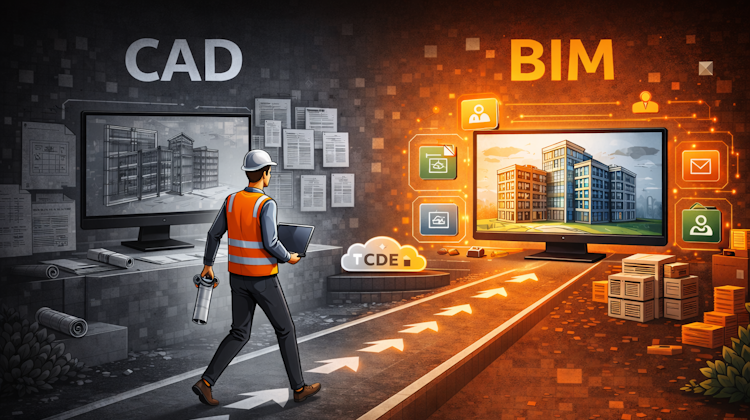
Many believe they have moved from CAD to BIM. In reality, they may have only changed software, not how information is managed. It’s a common misunderstanding: BIM is not about better drawings, it’s about managing information. This article explains what really changes, and what does not.
Featured
Latest articles
The Evolution of BIM: From 3D Models to Information Management
What we call BIM today is the result of a long evolution; from early object-based 3D models in the 1990s, to data-rich modeling in the 2000s, collaborative processes in the 2010s, and finally structured information management under PAS 1192 and ISO 19650. This article traces how BIM gradually shifted its focus away from geometry and software, toward managing information consistently, collaboratively, and across the entire asset lifecycle.
Revit Pattern Alignment
Ever noticed your Revit hatch patterns looking “off” when walls are rotated? It’s how pattern orientation really works. This article breaks down why drafting and model patterns behave differently, and how a single setting can make your drawings cleaner and more readable.
Why BIM Dimensions (3D, 4D, 5D) Are No Longer Relevant
BIM dimensions such as 3D, 4D, and 5D are widely used, yet they often create ambiguity and misaligned expectations among project stakeholders. Rather than focusing on dimensional labels, this article proposes a more structured approach aligned with ISO 19650-by clearly defining BIM Uses and applying the appropriate Level of Information Need (LOIN). This shift enables more effective communication, efficient information delivery, and more successful BIM implementation.
Bridge: Controlled Data Sharing Between Stakeholders
Autodesk Construction Cloud Bridge enables controlled and automated data sharing across project accounts while maintaining clear ownership and information governance. By combining ISO 19650 aligned folder structures, document review workflows in Autodesk Docs, and automated synchronization via Bridge, stakeholders can collaborate internally while ensuring that only approved, validated information is delivered to the project owner.
Autodesk Construction Cloud Evolution
Autodesk Construction Cloud (ACC) represents the evolution of Autodesk’s CDE, from the fragmented BIM 360 Classic, through BIM 360 Next Gen with centralized file storage, to the fully integrated Unified Platform. Read the Autodesk Construction Cloud evolution in this post!


