I have several colleagues asking me, why they can’t snap to hatch objects, just like when they use their old AutoCAD. Actually, you still can. It seems that Autodesk has disabled this feature by default, maybe because of performance issues.
To activate it, simply open option. You can do it by typing OP then [enter] or by accessing through AutoCAD ribbon.
In the options dialog box, drafting tab, in object snap options, turn off ignore hatch objects.
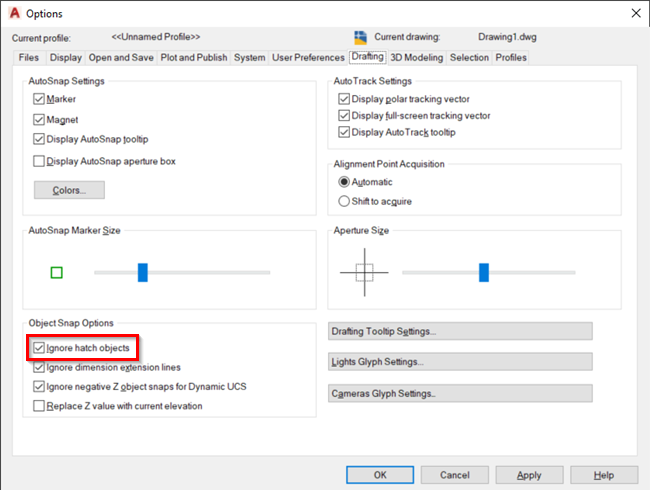
You can also set this option by changing the OSOPTIONS system variable.
I snipped this from the help file:
0: Object snaps operate on hatch objects, and on geometry with negative Z values when using a dynamic UCS
1: Object snaps ignore hatch objects
2: Object snaps ignore geometry with negative Z values during use of a dynamic UCS
See more AutoCAD tips on our contents list page!


This doesn’t work for me still
I don’t know which “hatch texture” you tried with, but I observed that this trick won’t work with a “solid” hatch. If the hatch is made of lines (like “ANGLE”), then it will work. It seems that Autocad can only snap to vectors, and a solid hatch does not seem to be a vector.
Thank you Edwin!
many thanks!
Thank you very much sir!
Great tip, many thanks. Genius.