Articles Comments

CAD Notes » AutoCAD Tips » AutoCAD Contextual Ribbon Tab

AutoCAD Contextual Ribbon Tab

I tried to find about this in AutoCAD documentation, and can’t find any. Not even in new features workshop. Too bad, because I kind of like it. This feature is introduced in AutoCAD 2010.

So what’s the contextual ribbon do? Remember when we create/edit a table then we will see the floating toolbar above the table?

floating table bar 

You still see it if you use classic interface.

We can see the floating toolbar too when working on multiline text.
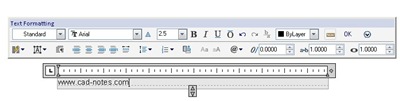
floating text toolbar

And when we are working in in block editor, we need to open the block authoring palettes.
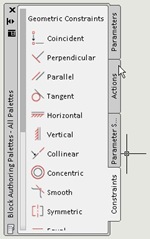
block authoring palletes

No more floating toolbar or authoring palettes with ribbon interface. Well, you still can open the palettes. But I think having them all in ribbon is nice. Contextual tab only appears when we activate some tools.

block editor

Popularity: 4% [?]


You might also interested to these posts:

  1. Maximize Your Screen and Speed Up with Ribbon Shortcut
  2. Ribbon Shortcut Key on Autodesk Products
  3. Introduction to AutoCAD: the Interface
  4. 10 AutoCAD Ribbon Tips You Should Know
  5. AutoCAD 2010 Sticky Ribbon Panels

Written by Edwin Prakoso

Application Engineer. Jakarta, Indonesia. 5+ years experience as CAD engineering application. AutoCAD, MicroStation, Revit, Inventor, and certified CATIA part design specialist. Here are some topics I am currently focusing on

Filed under: AutoCAD Tips

Visit our e-store!

If you are interested to our tutorials and tips, take a look to our e-store to purchase our e-books or purchase any CAD books from Amazon. CAD Applications, Certified workstation, and plotters are also available!

Leave a Reply