
This tip is not just for CAD application, but more likely a Windows tip. I found this thread in an AutoCAD forum, so I think you may use this too.
It may sounds like a very simple solution for you. I believe most of you already know that you can control the mouse speed in control panel, mouse properties.
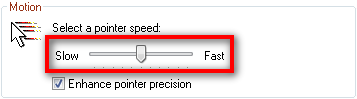
However, you may found that the minimum value is not slow enough, or the higher value is not high enough. Depends on your mouse. You want to control it further, either to get extra speed, or slower speed. There is a Windows registry trick that you can use. But beware: backup your registry before you start messing with it!
You can override this value by modifying this key:
HKEY_CURRENT_USER\Control Panel\Mouse\
Read the complete explanation here: http://www.activewin.com/tips/reg/mouse_4.shtml


What can I say… Essential hacks for productivity.