I have posted a tip how you can control Revit view title appearance. I made a big mistake by mentioning this:
Now the question you probably want to ask: can we change the text appearance or change the circle symbol? As far as I know, no. It’s not external family, so you can’t edit it in family editor. And there is no text parameter when we access the edit type option.
Thank you to Fernando Oliveira who posted a comment to correct my mistake. We can change the appearance, because it is defined by rfa family.
If you browse to library> annotation folder, you will see several Revit view title families.
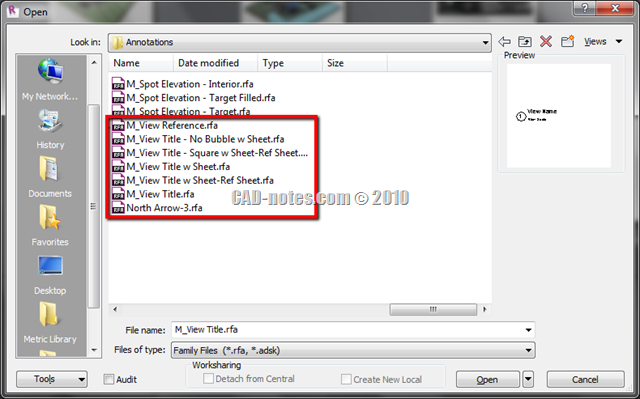
It means you can modify the geometry and text to control the view title appearance.
Try to load another view title family to your project. Now open your sheet, select the viewport.
Click edit type to open type properties dialog box. Now you can see the view title family on title drop down list.
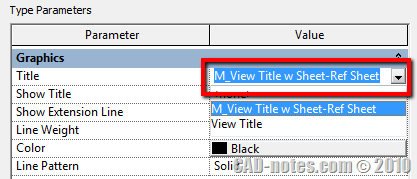
I’m sorry if the previous post confuse you. And thank you again to Fernando for correcting me!


Hi do you know what would be the best way for the View title to appear automatically on top of the view but not the bottom like it does in a standard template?
I don't have anything showing when i; "Click edit type to open type properties dialog box. Now you can see the view title family on title drop down list."???