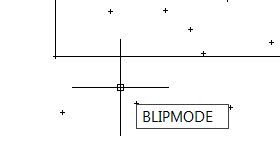
Remember the debris above in your drawing? The points visibility is controlled by system variable BLIPMODE. If I’m not mistaken, the last time we have it on by default is in R13. I never see it again since then. It turns out that some AutoLISP program does turn it on.
That become a problem in AutoCAD 2012, because the system variable is not there any more. They are still there, but turned off by UNDEFINE command.
So if you ever need to use it, you can redefine it first before using it.
REDEFINE BLIPMODE
See more alternatives to use BLIPMODE in CAD Forum here. Credit to Vlamidir Michl.


how to on the blipmode in auctocad 2013
You have to redefine it first:
_REDEFINE [ENTER]
BLIPMODE [ENTER]
Very Nice Help… Got it! thanx for the Tip Edwin :-)