Today, we’re going to start our tasks to work with AutoCAD better. Our first task today is starting to create a template.
Template is important in many applications. Not only AutoCAD and other CAD applications, you can see people use it in spreadsheet and word processor too.
What is a template?
Let’s see these Microsoft Office templates. There are many document templates available. Try to download one and use it.
In example below, you can see several brochure templates. The layout, font types, colors, etc already set. All you need to do is to change the title and text, you already get decent brochure.
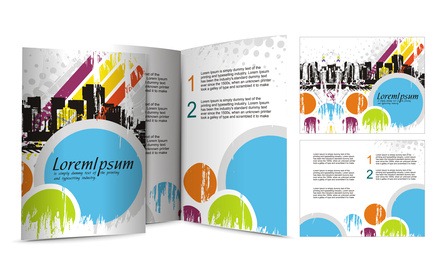
Redshinestudio – Fotolia.com
AutoCAD templates work in similar way.
Why using template?
The reasons of using templates should be obvious.
Faster
The most obvious reason is, it’s faster. Imagine if you have to create a new drawing from scratch. There are many things to do before you start drawing. You add layers and set their properties, you create styles, you may spend more than 10 minutes just to prepare a drawing.
Helps you to maintain standard
The next important reason is it can maintain standard.
Imagine that you have to create new layers every time you start a drawing. There’s a big chance that you will not use the same layer name and properties in each drawing. Today you use A-Window, tomorrow when you start a new drawing you may use A-WDW. The next day, you create A-windows.
One person can use different layer names, if in your company you have 20 AutoCAD users, each of them may have their own preferences.
Layer naming probably acceptable. Many project owners look at plotted drawings, not the drawing in AutoCAD. But using different font type and size, will be obvious.
This question will arise from project owner:
The drawings are from one company, how come they look different? Do they really created these?
Let’s discuss this

Yuri Arcurs – Fotolia.com
Before we start creating our template, examine your typical drawings.
If you haven’t created drawing templates:
- Have you chosen drawings that you consider as ‘standard’?
- Do you think you have several typical drawings? Will one template be sufficient, or you need several templates?
- What are settings and drawing elements you want in your templates? What do you want already there when you click create new drawing?
- How much time you do think you can save, if you have good templates?
If you already have drawing templates:
- Do you think they already have what you need? Are there anything you want to add in your templates?
- Do you use 1 global template, or have several drawing templates in your company?
- How much time do you think you saved for each drawing you created?
We’ll start creating template in the next discussion. Which is tomorrow. I already have some materials we can use to create templates.
However, I need you to discuss this to understand further what you need in your templates. If you read this from email newsletter, please discuss by commenting in the original page, so we all can respond. Please do not reply the email.
Have a nice discussion!


This is really good. I tremendously enjoy how you make the lesson interactive. I have used this and I thank you for it!
Do you think they already have what you need? Are there anything you want to add in your templates?
# We use possibilities a templates for 50%. It can be more, so there is some limitations as knowledge other participants at project with insufficient knowledge.
# I will plan improve and add suport for sheets (+titleblock), annotation scales, replace current block manager by toolpaletes, redefine number and names for layers.
Do you use 1 global template, or have several drawing templates in your company?
# A lots of templates is not goog idea (complicated updates etc). We use 3 types: For architecture drawings, site drawings and details.
How much time do you think you saved for each drawing you created?
# A plenty of time. First at start of drawing, next for collaboration and print.
Thank you for sharing PepaR…
Any plan to improve the templates?
Welcome. There is a lots of plan and things to be be done or improve. I wrote some ideas in previous post. I can write more, so it's not affect to template directly, eg.: organize user defined files (SHX, LIN files), minimalize number of hatches (slow down AutoCAD) and more. Some items is done and I publish it as free CAD standards for students, architects and civil engineers in our country for free at http://www.jremes.cz/index.php/cad-standardy-auto… or http://www.cadforum.cz/cadforum/CAD-Standardy/. Pages are in czech language, content of package is also use in english version of AutoCAD. Just find button/links for download.
well said!
What is needed in a template:
– Determine use of template: One drawing size per template or all sizes in one template?
– Is the titleblock inserted in the template or XREFed in the drawing created from the template?
– Use one template for each discipline (Architecture, Civil, Mechanical…) to reduce layers and blocks in a drawing.
– Create Pagesetups for each drawing size and printer. This could easily be its own topic.
– Is the drawing going to use CTB or STB plot styles?
– Frequently used Layers, but not every layer imaginable. Have a separate drawing(s) with all the layers and use Design Center, Tool Palettes or custom menus to add other layers as needed.
– Frequently used Blocks for template discipline and use Design Center, Tool Palettes or custom menus to add others as needed.
And who is going to be in charge of making changes to the template? If there is more than one person using the template there should be only one person making changes. Others can suggest, but you don't want everyone making changes to it!
Nancy,
Great points! We will cover more details about each in the next posts. Your comment certainly help to plan what I'll write for the upcoming tasks!
Anyone else want to share their opinion?