Do you use publish command to plot several AutoCAD layouts to PDF/DWF format? The default setting will allow you to get single file, with multiple pages.
What if you want to get multiple files, with one sheet in each PDF/DWF file?
You can change it in publish dialog. Click publish option.
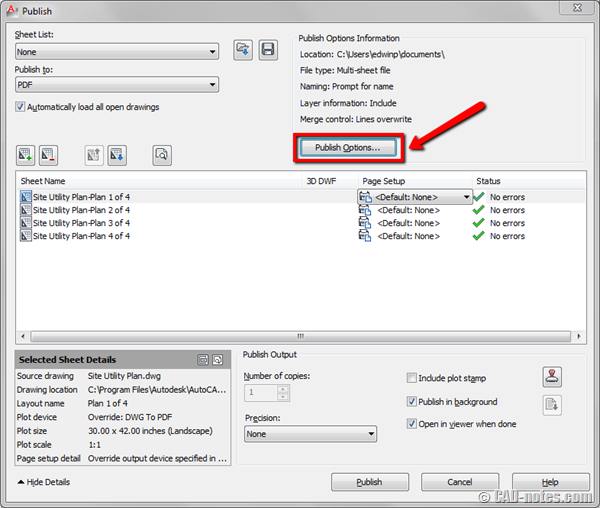
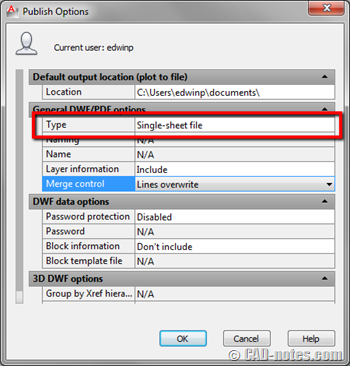
In publish option dialog, change type in general DWF/PDF options to single-sheet file.
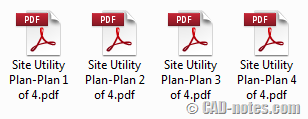
In this example, I have 4 sheets to plot. I will get 4 PDFs instead of one PDF with 4 pages in it.


Thank you so much for all informations
How can we print a layout in pdf? In AutoCAD, there is an option that when i press the print button and select ADOBE pdf as my printer, it converts the selected layout in pdf. I have this option in one computer and need to have this in the other computer as well. But i dont know how I can add this. Help please. I have to switch back n forth between the two computers which is making me crazy.
How do you setup your page to print black when using publish in autocad?
I had to do this and was driving me crazy with a new install. Just one workstation had this problem which was weird. Thanks much!!