I saw a tweet from Vladimir Michl mentioning about his tip how to compare drawings. I have this question being asked several times. So I’m intrigued, can we really do that?
I read his tip and he mentioned that we can use Design Review to compare sheets.
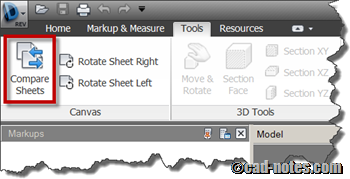
Using Design Review does make sense. It doesn’t matter if you use AutoCAD, Revit or Inventor, you still can compare your design. As long as you can create DWF file.
And can we compare from within AutoCAD?
What about comparing DWG within AutoCAD directly? Can we do that?
There is also DWG compare add-on available for free!
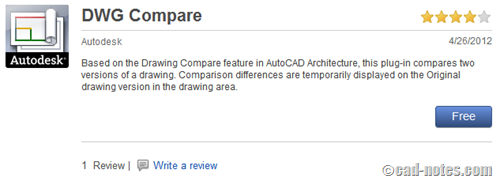
This is more reasonable for me. After we compare our design, we can immediately edit the drawing as necessary. However, Design Review allows you to compare designs created with other CAD software. As long as you can generate the DWF file.
So can Vault compare drawing revisions too?
Design Review works by comparing DWF files. It made me think about Autodesk Vault. It uses DWF for viewing purpose too. So we should be able to compare drawings in Vault, right?
I always think we can’t compare design within drawings. Probably we can compare using product’s tree, but never thought it would be possible to do it within a drawing file.
So I tried to search on Google. It looks like this isn’t a built in functionality in Vault. But it doesn’t mean that you can’t do that.
Of course. There is an add-on available on Autodesk Exchange Apps.
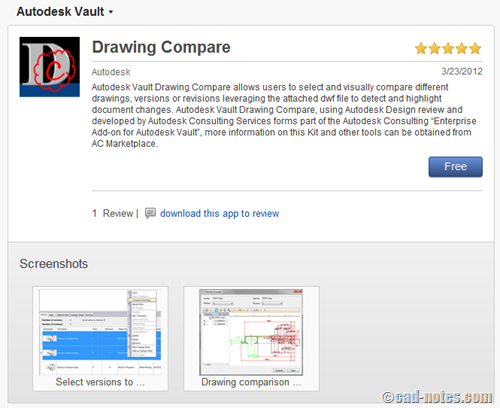
You can download and use Drawing Compare for free.
Have you visited Autodesk Exchange Apps?
The Exchange Apps has impressed me a couple of times. If you think your software can’t do what you want, think again. You might be able to find an extension here. If you’re lucky enough, you can get it for free. If you don’t, at least you can find a trusted extension for an affordable price.
If you haven’t visited Autodesk Exchange Apps before, go visit it now: http://apps.exchange.autodesk.com
Share with us here what extensions you find there!


Hi Edwin,
I was really impressed while reading about this DWG COMPARE app.
However I have some questions:
– is it possible that this application will measure the difference between 2 lines, as I need to compare old and new railway design (2D lines and arcs), and if the displacement is more than 10cm (in X, Y), the application will mark it in specific colour.
Do you have any idea how I can do it?
Greetings,
Justyna
Hi Justyna,
Unfortunately, No. It only can find it you delete, move or add objects. It can’t be more specific than that.