Jaiprakash shares how you can utilize AutoCAD multifunctional grips to modify object. See how you can use it in different types of objects.
My new block attributes are not showing after block edit/replace

You add/delete or modify attributes in your AutoCAD block, then save the block and close block editor. However, you see the attributes are not updated. This is the solution.
How to combine layers to simplify your AutoCAD drawing

Do you need to combine/merge layers to simplify your AutoCAD drawing? We have this tip how you can do that!
How to export and import AutoCAD Tool Palettes
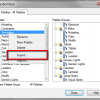
Do you want to copy your awesome tool palettes to your other computer? This is how you can do it.
One AutoCAD dimension style, different appearances

You can have one AutoCAD dimension style to show different appearances. It can be different in linear and radial dimension, automatically!
Complete our challenges to work better with AutoCAD!

Learning AutoCAD is not only about knowing all the features. You need to know to to work effectively with it, and they don’t teach it in school or training classes. You can learn with us here!
Work Better with AutoCAD | challenge 7: Evaluate your progress

You have completed 6 challenges to work better with AutoCAD. Now it’s time to evaluate your progress after completing the challenges. Is there are any area that you can improve?
AutoCAD doesn’t show linetype on hatches
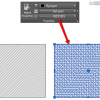
Since AutoCAD 2015, hatches are no longer use linetype. You need to change a system variable to make it work like before.
- « Previous Page
- 1
- …
- 12
- 13
- 14
- 15
- 16
- …
- 55
- Next Page »


