
Lynn Allen has released her annual booklet: AutoCAD 2018 tips and tricks! You can download it now.
Keep the Template Simple: Using Custom Commands

Another way to keep your template simple: using customization. It can be very simple, you can find them online too. The important thing is they keep your drawing simple and make you productive!
Keep the Template Simple: Import from External Files
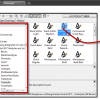
We continue to cover how you can keep your template simple. In this article, we cover how you can import settings from another file. You can import them selectively or all of them at once.
AutoCAD 2015-2018 Geolocation Bing Maps Hotfix

AutoCAD uses Bing Maps 7 for online map service. Bing Maps 7 will be discontinued soon, install this hotfix so you can continue using the online map service!
Keep the Template Simple: Working with AutoCAD Tool Palettes
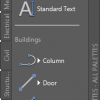
AutoCAD template is important. But we shouldn’t make it unnecessarily complex. There are many ways to develop the drawing as we go. And the first method we cover is using the Tool Palette.
AutoCAD icon History
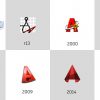
Autodesk released AutoCAD icons from R1 to version 2018. Not all versions are listed, but it is interesting to trip down the memory lane.
AutoCAD Basic: Using AutoCAD Page Setup
Learn how to create an AutoCAD page setup and how to create and place a title block with perfect size!
Reminder: Install AutoCAD 2018.0.2 Update Before June 1!
If you installed AutoCAD 2018.0.1 update, you need to install the latest update immediately. Or you can’t use your product after June 1, 2017!
- « Previous Page
- 1
- …
- 3
- 4
- 5
- 6
- 7
- …
- 55
- Next Page »


