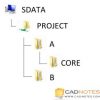
In this tutorial, we cover about path type. Which one should you use? Full path, relative or no path? And how can you resolve the path when it’s broken?
Working with XREF: Attaching External Files
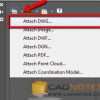
Our XREF tutorial continues. In this 2nd article, we cover how to attach a DWG file. We also introduce you to XREF options.
Working with XREF: Introduction

This is the first part of AutoCAD XREF tutorial series. Here we learn about the concept and benefits first.
Lynn Allen’s AutoCAD 2017 booklet

Lynn’s AutoCAD 2017 booklet has been released. You can download, print and use it to learn about the new features!
Using different sets of AutoCAD Object Snaps quickly
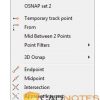
This tip will help you to switch between different sets of AutoCAD Object Snaps quickly. You don’t have to check and uncheck the options one by one!
June recommendation: Lee Mac Programming

In this month, we recommend you to visit Lee Mac website to find some great AutoLISP programs. They surely can help you to work faster!
Create a Custom AutoCAD Array Command

If you want to change the array default size, you can create a custom command easily with Action Recorder. Let’s explore how to create a macro without programming knowledge!
What’s new in AutoCAD 2017: New Features Roundup

Find out what are new in AutoCAD 2017 here. We list all the important changes in this feature.
- « Previous Page
- 1
- …
- 7
- 8
- 9
- 10
- 11
- …
- 55
- Next Page »


