
Anne shares how to create your command aliases and command macro in CUI. If you are a beginner and want to create a custom command, this article is for you!
Create your own magic button to restore AutoCAD layers and styles

Do you want to restore all objects from AutoCAD templates after purge them? You can do it by one click on this magic button!
AutoCAD macros allows you to do these easily

If you haven’t used any macro before, you might want to start using it after you see what it can do! These are a couple of cool samples!
Automatic AutoCAD dimension spacing using double click action
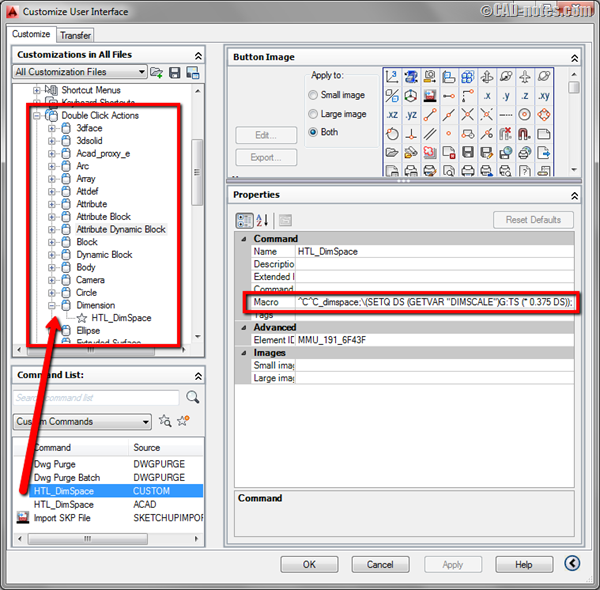
In this article we will create a custom doubleclick action to change dimension spacing. Simple but powerful macro!
3 Construction or Reference Objects We Rarely Use
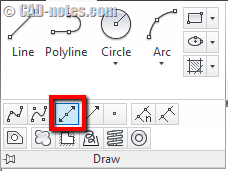
If you often need to create construction or reference objects in AutoCAD, have you tried XLINE, RAY, and point? XLINE and RAY are very useful to create construction lines quickly. And points, can help you to snap to a point quickly in crowded drawings!
The killer tool palette macros, download it here!
Have you tried the tip to create 11 killer macros for viewports? If you’re too busy to follow all the steps, you can just download it here!
Eleven Killer Tool palette Macros for working with AutoCAD Viewports
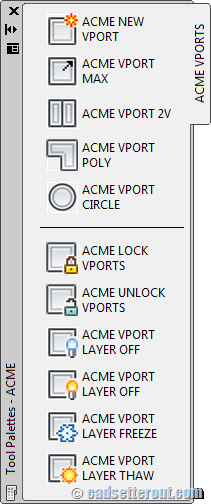
If you work with AutoCAD layout, these 11 killer macros will help you. For easier access, we put all the macros in tool palettes. A must read if you want to work with viewport faster! Another great post by Paul Munford.
How to use the AutoCAD status line to provide real time reporting
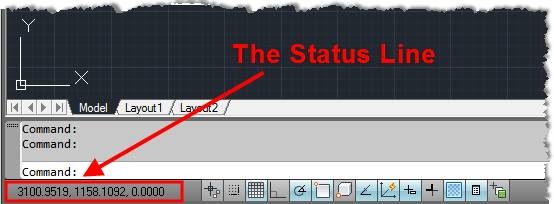
AutoCAD Status Line just provides the coordinates of the cursor. Do you know that you can also use the Status Line to provide real time reports from system variables?


